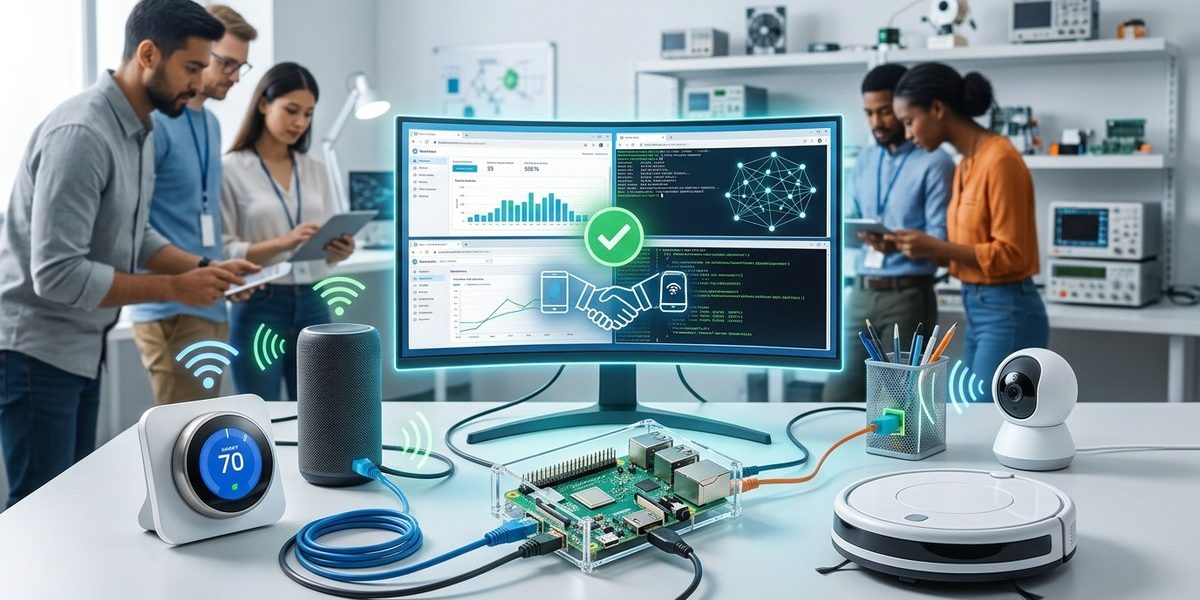

Your smart thermostat needs to talk to a third-party bridge. That bridge must pass data to a cloud service built on MQTT. The cloud service then sends commands to a Zigbee light bulb from a different manufacturer. If any link in that chain breaks, your product ships with a known flaw. You do not need a six-figure test budget to catch these failures before launch. A stack of well-maintained, open-source tools can validate interoperability across protocols, hardware revisions, and firmware versions. And in 2026, the ecosystem is more mature than ever.
You can validate IoT device interoperability before launch using free, open-source tools like Eclipse IoT Testbed, Zephyr RTOS protocol stacks, and Wireshark for packet analysis. Focus on testing message delivery, protocol compliance, and state synchronization across MQTT, CoAP, Zigbee, and Thread. This approach reduces field failures by catching incompatibilities early.
Why interoperability testing fails on most teams
The standard approach is reactive. Teams test against one reference hub, get a green light, and ship. Six weeks later, support tickets roll in because the device refuses to pair with popular home automation controllers or drops messages after a firmware update. The root cause is almost always a silent protocol violation or an edge case in state handling.
Testing for interoperability means verifying that your device behaves correctly when talking to other vendors’ implementations of the same standard. It is not enough to pass a conformance suite. You need to simulate real-world traffic patterns, malformed packets, and network interruptions. Open-source tools let you build that simulation without per-seat licensing fees.
The essential open-source toolkit for 2026
You do not need a dozen tools. You need a focused set that covers the three layers where interoperability breaks: transport, application protocol, and device state.
1. Eclipse IoT Testbed for multi-protocol validation
The Eclipse IoT Testbed is a framework that lets you spin up virtual instances of MQTT brokers, CoAP servers, and HTTP endpoints. You configure test scenarios that mimic a real home or industrial network. The testbed injects traffic from multiple simulated devices and records how your target responds.
Set it up on a Linux VM or a Raspberry Pi 4. Point your device at the testbed’s broker instead of your production cloud. Run the default suite first. Then add custom scenarios that match your deployment, like 50 devices publishing temperature readings every 10 seconds.
2. Wireshark with custom dissectors for packet inspection
Wireshark remains the gold standard for packet analysis. In 2026, its community-maintained dissectors cover nearly every IoT protocol, including Matter, Thread, and the latest MQTT 5.0 features. Capture traffic between your device and a reference gateway. Filter for malformed packets, unexpected QoS levels, or retransmission patterns that indicate a mismatch.
A common failure is a device that sends a QoS 2 publish but cannot handle the corresponding PubRec and PubRel handshake from a broker that enforces the spec strictly. Wireshark shows you exactly where the handshake stalls.
3. Zephyr RTOS protocol stacks for embedded testing
If your device runs Zephyr RTOS, you can compile the same protocol stack used in production but target a test harness. This lets you run unit-level interoperability checks on your host machine before flashing hardware. The Zephyr project includes reference implementations for MQTT-SN, CoAP, and LwM2M. Compare your device’s message formatting against these references byte by byte.
For teams not using Zephyr, the same principle applies. Pull the open-source reference stack for your protocol, compile it for your test environment, and run message-level comparisons.
4. Matter SDK test harness for smart home devices
The Matter standard (formerly Project CHIP) has an official open-source SDK that includes a test harness. You do not need a CSA certification budget to run the basic interoperability tests. The harness simulates a Matter controller and validates commissioning, cluster interactions, and over-the-air updates. Run it against your device’s Matter implementation before you pay for formal certification. It catches roughly 80 percent of the interoperability issues that would fail a certification lab.
5. Thread network simulator for mesh reliability
Thread networks are sensitive to node density and routing topology. The open-source Thread simulator lets you create a virtual mesh with 20, 50, or 100 nodes. Insert your device into that mesh and watch how it handles leader changes, packet loss, and sleepy end device polling. A device that passes a two-node test often fails in a dense mesh. The simulator catches that before you ship.
A practical five-step process for pre-launch testing
Follow this process in the order listed. Each step builds on the previous one.
-
Define your interoperability targets. List every protocol your device must support. Include the specific versions (MQTT 5.0, CoAP RFC 7252, Zigbee 3.0). List the third-party hubs, bridges, and cloud services your device will connect to in production.
-
Set up the Eclipse IoT Testbed with your protocol stack. Configure virtual brokers and servers for each protocol. Point your device at the testbed. Run the default conformance suite. Record all failures.
-
Run packet-level analysis with Wireshark. Capture traffic during the conformance tests. Look for retransmissions, unexpected disconnects, and malformed messages. Fix any issues at the firmware level.
-
Simulate real-world network conditions. Use the Thread simulator or a simple Linux
tccommand to add latency, packet loss, and jitter. Repeat the conformance tests. A device that passes in ideal conditions often fails under 5 percent packet loss. -
Test against a reference device. Borrow or buy a popular hub from a different manufacturer. Pair your device with it. Run a series of state transitions: turn on, turn off, dim, change color, set a schedule. Verify that the hub reports the correct state after each action.
Common mistakes that open-source testing catches
| Mistake | What happens in the field | How to catch it with open-source tools |
|---|---|---|
| Sending a malformed MQTT CONNECT packet | Broker drops the connection silently | Wireshark dissector highlights invalid flags |
| Ignoring CoAP response codes | Device retries forever without error handling | Eclipse IoT Testbed logs the retry storm |
| Hardcoding a broker IP address | Device fails after network change | Testbed with dynamic DNS simulation |
| Using a non-standard Zigbee cluster ID | Hub ignores the command | Zigbee2MQTT logs unsupported clusters |
| Not handling Thread leader change | Device goes offline for minutes | Thread simulator triggers leader election |
How to integrate these tests into your CI pipeline
You do not want to run these tests manually before every release. Automate them. The Eclipse IoT Testbed exposes a REST API. Trigger a test run from your CI server after every firmware build. Fail the build if the testbed reports any interoperability regression.
Add a nightly job that runs the full suite against the latest versions of third-party hubs. Hub firmware updates often break compatibility. A nightly run catches that breakage within 24 hours, not weeks later when customers complain.
For embedded devices that cannot run in a VM, use a hardware-in-the-loop setup. Connect a small fleet of reference devices to a testbed running on a dedicated machine. Automate the pairing and test sequence using Python scripts. The investment in hardware is small compared to the cost of a recall.
“The most expensive interoperability bug is the one you find after shipping. Open-source test tools shift that discovery to before launch, where fixing it costs a fraction of the price.”
Senior embedded engineer at a major smart home platform
What to test beyond basic protocol compliance
Interoperability is not just about message format. It is about behavior under stress. Test these scenarios specifically:
- Device reboot while connected. Does it reconnect to the broker with the same session state? Does the hub detect the reconnect and update its UI?
- Broker restart. Does your device automatically reconnect, or does it sit idle until a user power cycles it?
- Firmware update on the hub. After the hub updates, can your device still communicate, or does it need a firmware update too?
- Network partition. If your device loses Wi-Fi for 30 seconds and reconnects, does it resume normal operation, or does it need a full re-pairing?
- Concurrent commands. If two apps send conflicting commands to the same device within 100 milliseconds, does the device handle both or crash?
Each of these scenarios is easy to simulate with the open-source tools listed above. Each has caused a real product recall in the past five years.
The role of open-source reference implementations
The open-source community maintains reference implementations for nearly every IoT protocol. These are not just for reading. They are executable specifications. When your device behaves differently from the reference, you have found an interoperability bug.
For MQTT, use the Eclipse Mosquitto broker as your reference. Mosquitto is strict about the spec. If your device works with Mosquitto, it will likely work with any standards-compliant broker. If it fails with Mosquitto, fix the device, not the broker.
For Zigbee, use Zigbee2MQTT. It is a software bridge that exposes Zigbee devices via MQTT. Pair your device with a coordinator running Zigbee2MQTT. If the device pairs and reports correctly, its Zigbee stack is sound. If it fails, the device has a non-standard implementation.
For Matter, use the official Matter SDK’s chip-tool. It acts as a reference controller. Run the full cluster test suite. The SDK is updated frequently to match the latest specification. In 2026, the Matter SDK is at version 1.4 and includes test coverage for energy reporting and water management clusters.
Building a test lab on a budget
You do not need a server farm. A single Raspberry Pi 5 can run the Eclipse IoT Testbed, Mosquitto, Zigbee2MQTT, and the Thread simulator simultaneously. Add a second Pi as a dedicated Wireshark capture point. The total hardware cost is under $200.
For hardware-in-the-loop testing, buy one or two popular hubs from different manufacturers. The Amazon Smart Hub, Apple HomeKit bridge, and Samsung SmartThings Hub cover the majority of US smart home deployments. Add a few reference devices like a Philips Hue bulb and a generic Zigbee contact sensor. This setup costs less than $500 and catches the most common interoperability issues.
If your device targets industrial IoT, swap the hubs for a Siemens PLC and a Rockwell Automation gateway. The testing methodology stays the same.
What the 2026 landscape means for your testing strategy
Two trends in 2026 directly affect interoperability testing. First, Matter adoption has reached critical mass. Most new smart home devices support Matter. That means your device must interoperate not just with one ecosystem but with dozens of controllers, bridges, and apps. The Matter SDK test harness is no longer optional. It is a prerequisite for shipping.
Second, Thread networks are becoming the backbone of smart home mesh connectivity. Thread’s self-healing nature is a double-edged sword. It recovers from failures, but devices that do not handle leader changes or routing updates correctly cause network instability for all devices, not just yours. The Thread simulator is essential for validating your device’s behavior in a mesh.
The open-source tools for both trends are mature and free. There is no excuse for skipping this testing.
A final checklist before you ship
- [ ] Device passes Eclipse IoT Testbed conformance suite for all target protocols.
- [ ] No malformed packets in Wireshark capture during 24-hour stress test.
- [ ] Device reconnects automatically after broker restart and network partition.
- [ ] Matter SDK chip-tool reports all clusters as functional.
- [ ] Thread simulator shows no routing errors after 100 simulated leader changes.
- [ ] Device pairs and operates correctly with at least two third-party hubs.
- [ ] CI pipeline fails the build if any testbed test fails.
Start testing before your next sprint
Interoperability testing does not need a budget approval. It needs a Raspberry Pi, a few hours of setup time, and the willingness to fix bugs before they become customer complaints. The tools are free. The methodology is proven. The only missing piece is making the time to run the tests.
Pick one tool from this list today. Install it. Point your device at it. See what happens. The result will either give you confidence in your launch or show you exactly what needs to change. Either outcome is valuable. And in 2026, with the smart home market growing and certification costs rising, that confidence is worth more than any test suite license.