
The first time a new sensor joins your network, it should feel like a trusted colleague walking through the door, not a stranger you have to frisk at every checkpoint. Yet most IoT deployments still treat device onboarding like a manual paperwork drill. You flash a firmware image, hardcode a password, and hope nobody notices the gaping trust hole. That approach worked when you had ten devices in a lab. It breaks completely when you are shipping ten thousand units to a factory floor or a smart building.
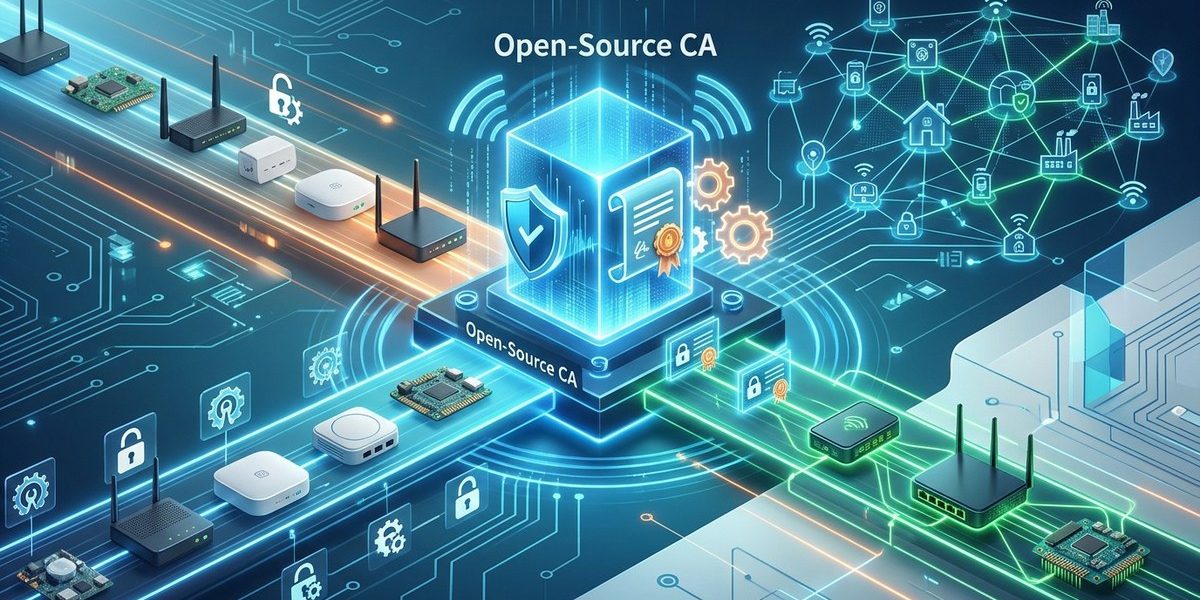
Open-source certificate authorities (CAs) let you automate the entire device identity lifecycle from manufacturing to decommissioning. By combining a lightweight CA like EJBCA or OpenSSL with a provisioning pipeline, you can issue unique X.509 certificates to each device at boot time. This eliminates shared secrets, enables zero-trust network access, and scales from a handful of prototypes to a global fleet without licensing fees.
Why shared secrets fail at scale
Hardcoded PSKs (pre-shared keys) feel simple during prototyping. You write one key into the firmware, flash a hundred boards, and everything talks. Then a device gets compromised. Now every device sharing that key is vulnerable. The only fix is a field update that touches every unit, and you probably cannot trust the channel you would use to deliver it.
Certificates solve this because each device carries a unique identity signed by a trusted authority. If one device is compromised, you revoke only that certificate. The rest of the fleet stays secure. The challenge has always been the operational overhead of running a CA. Commercial PKI services charge per certificate and per renewal. For a fleet of 50,000 sensors that need annual renewal, the cost adds up fast.
Open-source CAs remove the licensing barrier. You control the root key, the issuance policy, and the revocation process. The tradeoff is that you have to build the automation yourself. That is exactly what this guide covers.
The anatomy of an open-source CA pipeline
Before we get into tool choices, let us map the flow from factory floor to first connection.
-
Bootstrapping the CA
Generate the root certificate and intermediate CA keys. Store the root key offline (air-gapped machine or hardware security module). The intermediate CA lives on a networked server that handles day-to-day issuance. -
Device enrollment at manufacturing time
Each device generates a key pair during its initial boot sequence. It sends a certificate signing request (CSR) to the intermediate CA. The CA validates the request against a hardware-bound identifier (like a TPM serial number or MAC address) and issues a device certificate. -
Secure storage on the device
The private key never leaves the device. The certificate is stored in a tamper-resistant location (TPM, secure element, or encrypted partition). -
Onboarding into the network
When the device connects to the production network, it presents its certificate during TLS handshake. The network gateway or broker validates the certificate against the CA chain. If the certificate is valid and not revoked, the device is admitted. -
Renewal and revocation
Certificates have a short lifespan (30 to 90 days is common). The device requests a renewal before expiration. If the device is retired or compromised, the CA marks its certificate as revoked and publishes a Certificate Revocation List (CRL) or uses OCSP stapling.
Choosing your open-source CA
Three projects dominate the open-source PKI landscape. Each fits a slightly different use case.
| Tool | Best for | Key strength | Potential downside |
|---|---|---|---|
| EJBCA | Large fleets with complex policies | REST API for automation, built-in CRL/OCSP | Heavier infrastructure requirements |
| OpenSSL CA script | Small to medium fleets | Simple, no extra dependencies | Manual management, no built-in REST API |
| CFSSL (Cloudflare) | Cloud-native deployments | JSON API, easy to containerize | Less mature revocation workflow |
For most DevOps teams managing IoT fleets in 2026, EJBCA offers the best balance of automation and control. It provides a REST API that you can call from your provisioning pipeline, supports ACME protocol for automated certificate enrollment, and includes a web interface for manual oversight when needed.
Building a provisioning pipeline in five steps
Let us walk through a practical implementation using EJBCA and a Raspberry Pi as a stand-in for an IoT device. The same pattern applies to any embedded Linux device with network access.
Step 1: Deploy EJBCA
Spin up an EJBCA instance using Docker. Mount a volume for persistent data. Generate the root CA and an intermediate CA for device certificates. Configure the certificate profile to include a short validity period (60 days) and key usage for client authentication.
Step 2: Create an enrollment API endpoint
EJBCA exposes a REST API for certificate enrollment. Use the certificateprofile/request endpoint. Secure the endpoint with an API token that your devices will use during enrollment.
Step 3: Generate a device key pair
On the device, use OpenSSL to generate an ECDSA key pair. ECDSA keys are smaller than RSA, which matters for constrained devices. Store the private key in a TPM if available, otherwise in a protected file with restricted permissions.
openssl ecparam -genkey -name prime256v1 -out /etc/device/key.pem
Step 4: Submit the CSR
Create a CSR that includes the device serial number in the Common Name field. Send it to the EJBCA API with the device token.
openssl req -new -key /etc/device/key.pem -subj "/CN=SN-$(cat /etc/device/serial)" -out /tmp/device.csr
curl -X POST -H "Authorization: Bearer $TOKEN" -d @/tmp/device.csr https://ca.example.com/ejbca/rest/certificate/request
Step 5: Store and verify
Save the returned certificate to /etc/device/cert.pem. Run a test TLS connection to your MQTT broker or HTTPS endpoint to confirm the certificate is accepted.
Common mistakes and how to avoid them
Even a well-designed pipeline can fail if you overlook a few details. Here are the pitfalls I see most often.
-
Long certificate lifetimes
A certificate valid for two years means a compromised device stays trusted for two years. Short lifetimes (30 to 90 days) force regular renewal and limit the blast radius. -
No revocation plan
If your CA issues certificates but never publishes a CRL or OCSP response, revocation is meaningless. Set up automated CRL generation from day one. -
Hardcoded API tokens in firmware
If every device ships with the same enrollment token, a single reverse-engineered device exposes the whole fleet. Use a unique token per device, derived from a hardware secret. -
Ignoring clock drift
Certificate validation depends on accurate time. IoT devices often lack RTC batteries. Use NTP during onboarding or accept a small clock skew (like 5 minutes) in your CA configuration. -
Skipping certificate chain distribution
The device certificate alone is useless without the intermediate and root CA certificates. Bundle the full chain during provisioning so the server can validate the device.
“Treat every device certificate like a temporary employee badge. Issue it with an expiration date, automate the renewal, and have a clear process for revoking access when the employee leaves.”
* Security architect at a large smart building deployment
When to automate and when to keep a human in the loop
Not every step in the device identity lifecycle should be fully automated. Here is a breakdown.
| Process | Automation level | Why |
|---|---|---|
| Certificate issuance | Fully automated | Devices enroll at boot with no human interaction |
| Certificate renewal | Fully automated | Devices renew before expiration using the same API |
| Root key generation | Manual, with ceremony | The root key is the ultimate trust anchor. Generate it offline with multiple witnesses |
| Revocation | Automated for compromised devices, manual for decommissioned fleets | An automated compromise detection system (like a behavioral anomaly detector) can trigger revocation. Planned decommissioning should have a human double-check |
| CA software updates | Automated with staged rollout | Update the intermediate CA first, test, then the root CA if needed |
Making the case to your team
If you are reading this as a DevOps or security engineer, you might already be sold on the approach. But your manager or compliance officer might ask why you are not using a commercial PKI service. Here is the honest tradeoff.
Commercial PKI is simpler to start. You pay a subscription, get a dashboard, and receive certificates. The cost scales linearly with your fleet size. For a proof of concept with fewer than 500 devices, commercial is often cheaper in total engineering time.
Open-source PKI has a higher upfront investment. You need to set up the CA, write the automation scripts, and maintain the infrastructure. The cost per device approaches zero after the initial setup. For fleets above 1,000 devices, open-source usually wins on total cost of ownership. You also retain full control over your root key, which matters for compliance frameworks like SOC 2 or FedRAMP that require evidence of key management procedures.
A note on post-quantum readiness
By 2026, the conversation around quantum-resistant cryptography has moved from theoretical to practical. NIST has standardized three post-quantum algorithms: CRYSTALS-Kyber for key exchange, and CRYSTALS-Dilithium and SPHINCS+ for digital signatures. Your open-source CA should support hybrid certificates that bundle a classical ECDSA signature with a Dilithium signature. EJBCA and OpenSSL 3.x both support hybrid certificate profiles. Plan to migrate your device firmware to accept hybrid chains within the next two years.
Tying it all together
Secure device onboarding is not a feature you bolt on after the hardware is built. It is a process that starts at the moment the device is assembled and continues through every connection it makes. Open-source certificate authorities give you the tools to build that process without vendor lock-in or per-device fees.
Start small. Set up EJBCA in a container, issue certificates to a handful of test devices, and automate the enrollment script. Once the pipeline works for ten devices, you know it will work for ten thousand. The infrastructure is the same. Only the hardware count changes.
If you want to see how other teams are tackling the same challenge, check out our guide on building interoperable smart devices and how to leverage open source for end-to-end IoT security. Both go deeper into the architectural decisions that make a fleet scale safely.
A practical next step for your Monday morning
Pick one device type in your current fleet. Give it a unique certificate using the five-step pipeline above. Monitor the onboarding logs for a week. You will likely discover a few edge cases: devices that boot before NTP syncs, tokens that expire mid-enrollment, or certificates that the broker rejects because of a missing intermediate chain. Fix those edge cases now, while the fleet is small. When the production order for 10,000 units lands, your pipeline will be ready to handle it without breaking a sweat.