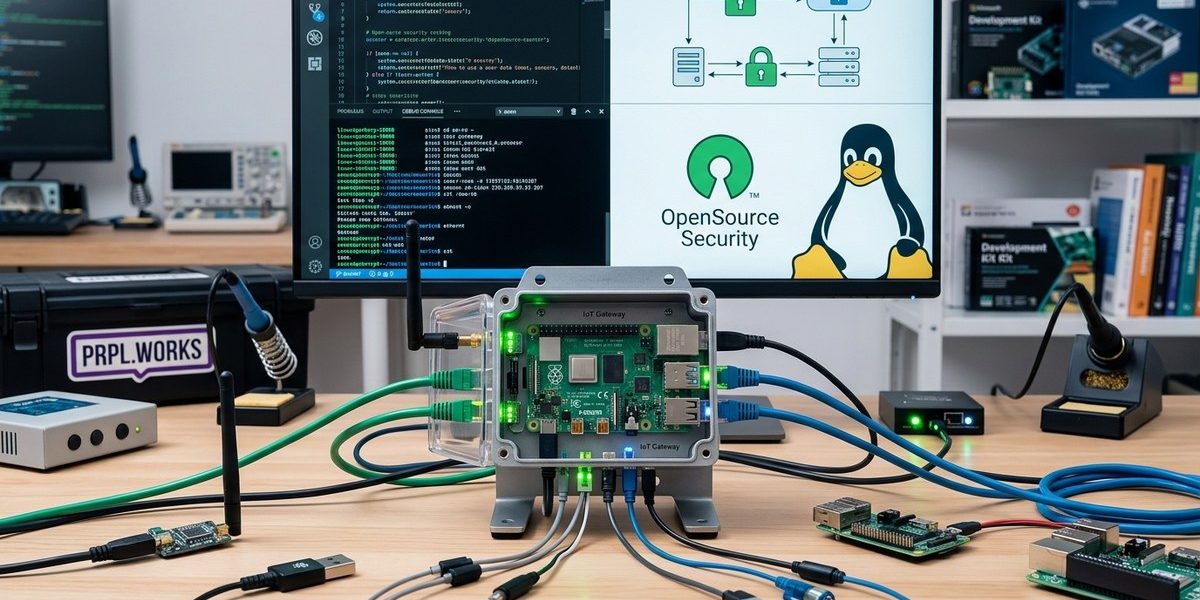

Every time a new smart sensor lands on your network, your exposure grows. That thermostat, that door lock, that industrial vibration monitor. They all need a choke point. A place where traffic is inspected, policies are enforced, and bad actors are turned away before they reach the rest of your infrastructure.
That choke point is your IoT gateway.
And here is the good news. You do not need expensive proprietary hardware to build one. With open source software, you can create a gateway that is both secure and transparent. You can audit every line of code. You can customize it for your exact use case. And you can do it without vendor lock in.
This guide walks you through the practical steps to build a secure IoT gateway using open source software. No fluff. Just the tools, the configurations, and the decisions that matter.
Building a secure IoT gateway with open source software is achievable today. Start with a solid Linux base, add MQTT or CoAP for device communication, layer in firewall rules, and enforce TLS 1.3 for all traffic. Use tools like OpenVPN, Mosquitto, and ModSecurity to cover authentication, encryption, and threat detection. Audit your config regularly. The combination of transparency, community support, and zero licensing cost makes open source the strongest foundation for any IoT gateway project in 2026.
Why the Gateway Matters More Than the Device
Individual sensors are cheap. A temperature probe costs a few dollars. A motion detector ships with factory default credentials. These devices were built to be light and low power, not secure. Asking them to defend themselves is unrealistic.
The gateway changes that dynamic. It sits between your devices and the outside world. It terminates connections, validates payloads, and enforces access rules. A single well configured gateway can protect hundreds of vulnerable endpoints.
Open source software gives you full control over that gateway. You decide which protocols to allow. You choose the cipher suites. You set the update policy. No hidden backdoors. No forced telemetry to a vendor cloud.
If you are still on the fence about whether open source is right for your stack, read our guide on enhancing IoT security with open source embedded frameworks. It covers the broader architectural benefits.
Choosing Your Base Operating System
Every gateway starts with an OS. Pick something stable, well maintained, and optimized for embedded or server workloads.
Top open source OS choices for IoT gateways:
- Ubuntu Server LTS — Broad package support, long term updates, huge community.
- Debian — Rock solid stability. Fewer packages but extremely reliable.
- Yocto Project — Build a custom Linux image trimmed to exactly what you need.
- OpenWrt — Purpose built for routers and gateways. Small footprint, great networking stack.
Your choice depends on hardware. If you are running on a Raspberry Pi or an x86 mini PC, Ubuntu Server is the easiest path. If you need to squeeze into 256 MB of RAM, look at OpenWrt or a custom Yocto build.
Either way, strip down the OS. Remove unused services. Disable root login over SSH. Set up automatic security updates. A lean system has fewer attack surfaces.
The Core Protocol Layer
Your gateway needs a way to talk to devices. MQTT and CoAP are the two dominant open protocols in IoT. Both have mature open source implementations.
MQTT with Mosquitto is the most common choice. It uses a publish subscribe model. Devices send data to topics. The gateway (or another subscriber) reads those topics. It is lightweight, supports QoS levels, and can run over TLS.
CoAP with libcoap works well for constrained devices that need UDP based communication. It maps easily to HTTP and is great for simple request response patterns.
Here is a quick comparison to help you decide:
| Protocol | Transport | Best for | Open source server |
|---|---|---|---|
| MQTT | TCP/TLS | Sensors, telemetry, many devices | Eclipse Mosquitto |
| CoAP | UDP/DTLS | Very constrained devices, low power | libcoap, CoAPthon |
| HTTP/HTTPS | TCP/TLS | Existing web infrastructure, APIs | Nginx, Apache |
| OPC UA | TCP/TLS | Industrial IoT, SCADA | open62541 |
Most projects do well with MQTT as the primary protocol. It is easy to debug, widely supported, and you can find client libraries for almost every microcontroller.
For devices that cannot run MQTT, set up a protocol bridge on the gateway. Convert their raw serial or Modbus data into MQTT messages. Keep the gateway as the single point of normalization.
Securing the Communication Channels
A gateway that passes data in plaintext is worse than useless. It becomes a listening post for attackers.
Mandatory security layers:
-
TLS 1.3 for all MQTT traffic. Disable older versions. Use certificates signed by your own internal CA or a trusted public CA. Mosquitto makes this straightforward with its
cafile,certfile, andkeyfiledirectives. -
VPN for remote device groups. If your sensors live across multiple physical sites, connect them through a VPN. OpenVPN and WireGuard are both open source and well tested. WireGuard is simpler and faster, but OpenVPN offers more granular access control.
-
Mutual TLS (mTLS). Require devices to present their own certificate. This prevents rogue devices from joining the network. Each device gets a unique credential. If one is compromised, revoke just that certificate.
-
Rate limiting and payload validation. Use a reverse proxy like Nginx with
limit_reqto throttle traffic. Validate JSON or CBOR payloads before they reach your backend. Malformed data is often the first sign of an attack.
For a deeper look at how open source protocols handle authentication and encryption, check out our article on how open source protocols enhance security and interoperability in IoT devices.
Firewall and Network Segmentation
Your gateway should be the only device that talks to both the internet and the sensor network. Everything else should be locked down.
Practical firewall rules:
- Allow inbound traffic only on the MQTT port (8883 for TLS, 443 for WebSocket).
- Block all other inbound ports.
- Restrict SSH access to a specific management VLAN.
- If your gateway has a web admin interface, bind it to localhost and tunnel in through SSH.
- Use
iptablesornftablesto drop traffic from unknown MAC addresses.
Network segmentation is just as important. Put your sensors on a separate VLAN or subnet. The gateway routes traffic between them, but only after inspection. A compromised sensor cannot directly reach your laptop or your cloud backend.
Intrusion Detection and Monitoring
A secure gateway is not set and forget. You need visibility into what is happening.
Open source tools for monitoring:
- Snort or Suricata — Network intrusion detection. Both can inspect MQTT traffic and flag suspicious patterns.
- Fail2Ban — Automatically block IPs after repeated failed login attempts. Simple and effective.
- Prometheus + node_exporter — Collect metrics on CPU, memory, network, and disk. Set alerts for anomalies.
- Wazuh — Full SIEM capability if you need log aggregation and file integrity monitoring.
Set up alerts for the following events:
- Certificate expiration approaching (TLS certs expire, devices go offline).
- Repeated authentication failures from the same device.
- Unusual data volume from a single sensor.
- Firmware updates that were not authorized.
Your monitoring stack does not need to be complex. Start with Fail2Ban and Prometheus. Add Suricata later as your device count grows.
Firmware Updates and Patch Management
The gateway itself needs updates. So do the devices behind it.
For the gateway, use unattended-upgrades on Debian or Ubuntu to apply security patches automatically. Schedule a reboot window during low traffic hours.
For device firmware, set up an open source update server. Eclipse hawkBit is a solid choice. It handles rollout campaigns, delta updates, and rollback logic. Devices check in with the gateway, and the gateway proxies the update request to hawkBit.
Never let devices fetch updates directly from the internet. They should only talk to the gateway. The gateway decides what is safe.
Our guide on how open source firmware updates reduce IoT attack surfaces explains this pattern in more detail.
A Step by Step Build Walkthrough
Let us put all of this together with a concrete example. Assume you have a Raspberry Pi 4 with Ubuntu Server 26.04 LTS and twenty temperature sensors that speak MQTT.
1. Install the base OS and harden it.
sudo apt update && sudo apt upgrade -y

  sudo ufw allow 8883/tcp

  sudo ufw allow 443/tcp

  sudo ufw allow from 10.0.0.0/24 to any port 22

  sudo ufw enable
Disable root SSH login. Set up a dedicated user with key only auth.
2. Install Mosquitto and configure TLS.
sudo apt install mosquitto mosquitto-clients -y
Generate a CA and server certificate using OpenSSL. Configure mosquitto.conf:
listener 8883

  cafile /etc/mosquitto/certs/ca.crt

  certfile /etc/mosquitto/certs/server.crt

  keyfile /etc/mosquitto/certs/server.key

  require_certificate true

  use_identity_as_username true
3. Install and configure WireGuard.
sudo apt install wireguard -y
Generate keys for each remote sensor cluster. Set up a simple hub and spoke topology. The gateway is the hub.
4. Set up Mosquitto authentication.
sudo mosquitto_passwd /etc/mosquitto/passwd sensor_user
Add password_file /etc/mosquitto/passwd to mosquitto.conf. Restart the service.
5. Install Prometheus and node_exporter.
sudo apt install prometheus prometheus-node-exporter -y
Configure Prometheus to scrape the gateway itself and any devices that expose metrics.
6. Add Fail2Ban for SSH.
sudo apt install fail2ban -y

  sudo systemctl enable fail2ban
7. Test the full flow.
Publish a test message from a sensor using a client certificate. Verify the gateway accepts it. Try publishing without a certificate. Verify it is rejected. Attempt an SSH brute force. Confirm Fail2Ban blocks the IP.
This whole setup takes an afternoon. The result is a gateway that is production ready for small to medium IoT deployments.
Common Mistakes and How to Avoid Them
Even experienced developers slip up on certain details. Here are the most frequent mistakes people make when they build an IoT gateway with open source software.
| Mistake | Why it is dangerous | How to fix it |
|---|---|---|
| Using default MQTT port without TLS | Traffic is plaintext. Anyone on the same network can read sensor data. | Switch to port 8883 with TLS 1.3. |
| Allowing device initiated outbound connections to the internet | Devices can phone home to malicious servers if compromised. | Route all traffic through the gateway. Block direct egress. |
| Ignoring certificate rotation | Expired certs cause silent failures. Devices go offline without warning. | Set up certbot or a custom cron script for renewal. Alert on upcoming expiry. |
| Running the gateway as root | Any vulnerability in the gateway software gives full system access. | Run Mosquitto and other services under a dedicated, unprivileged user. |
| Skipping payload validation | Malformed data can crash services or trigger buffer overflows. | Use a schema validator (JSON Schema, CBOR) before processing. |
Each of these mistakes is easy to fix once you know about them. Add them to your checklist during the initial build and during every review cycle.
If you are designing for interoperability across multiple device families, our piece on building interoperable smart devices using open source technologies covers the protocol and data format decisions that keep your gateway flexible.
How Regulations Are Shaping Gateway Security in 2026
The regulatory landscape has shifted. The United States has adopted stricter IoT security requirements at the federal level. The Cyber Trust Mark program, fully operational in 2026, requires consumer IoT devices to meet baseline security criteria. While the program targets devices, the gateway plays a supporting role.
A gateway that enforces strong authentication, encrypts data at rest and in transit, and supports over the air updates makes it easier for the devices behind it to stay compliant. You are essentially wrapping compliance around devices that cannot meet the requirements on their own.
Open source software helps here because you can demonstrate exactly how security is implemented. There is no black box. You can point to the configuration files, the certificate chain, and the audit logs.
For more on how open source aligns with current regulations, read how open source can help meet IoT security regulations in 2026.
“The smartest teams treat the gateway as a security appliance, not a data router. If you design it with the assumption that every device behind it is already compromised, you will make better decisions about isolation, authentication, and monitoring.” — Senior IoT architect at a major smart building firm
Bringing It All Together for Your Next Build
You now have a clear path to build a secure IoT gateway using open source software. Start with a minimal Linux install. Add Mosquitto or CoAP for device communication. Lock everything down with TLS, a VPN, and strict firewall rules. Monitor with Prometheus and Fail2Ban. Keep the system updated automatically.
The beauty of open source is that you are never stuck. If a package stops being maintained, you fork it or replace it. If you discover a vulnerability, you patch it yourself or wait a few hours for the community to respond. No vendor can hold you hostage.
Your sensors will keep sending data. Your gateway will keep them safe. And you will sleep better knowing that every layer of that stack is open, auditable, and under your control.
Start with a single gateway this weekend. Use a Raspberry Pi or an old laptop. Follow the walkthrough above. Once it is running, add one real device. Watch the traffic flow. Check the logs. You will see the difference between a decent setup and a secure one.
If you want to go further, explore our collection of resources on building secure smart devices with open source IoT frameworks. It covers the full lifecycle from device firmware to cloud backend.
Go build something. And make it secure from day one.